Setup Apple SignIn
Apple Sign in only work in IOS build, so the button will not showing in android build, to enable it :
Enable Aple SignIn in Firebase
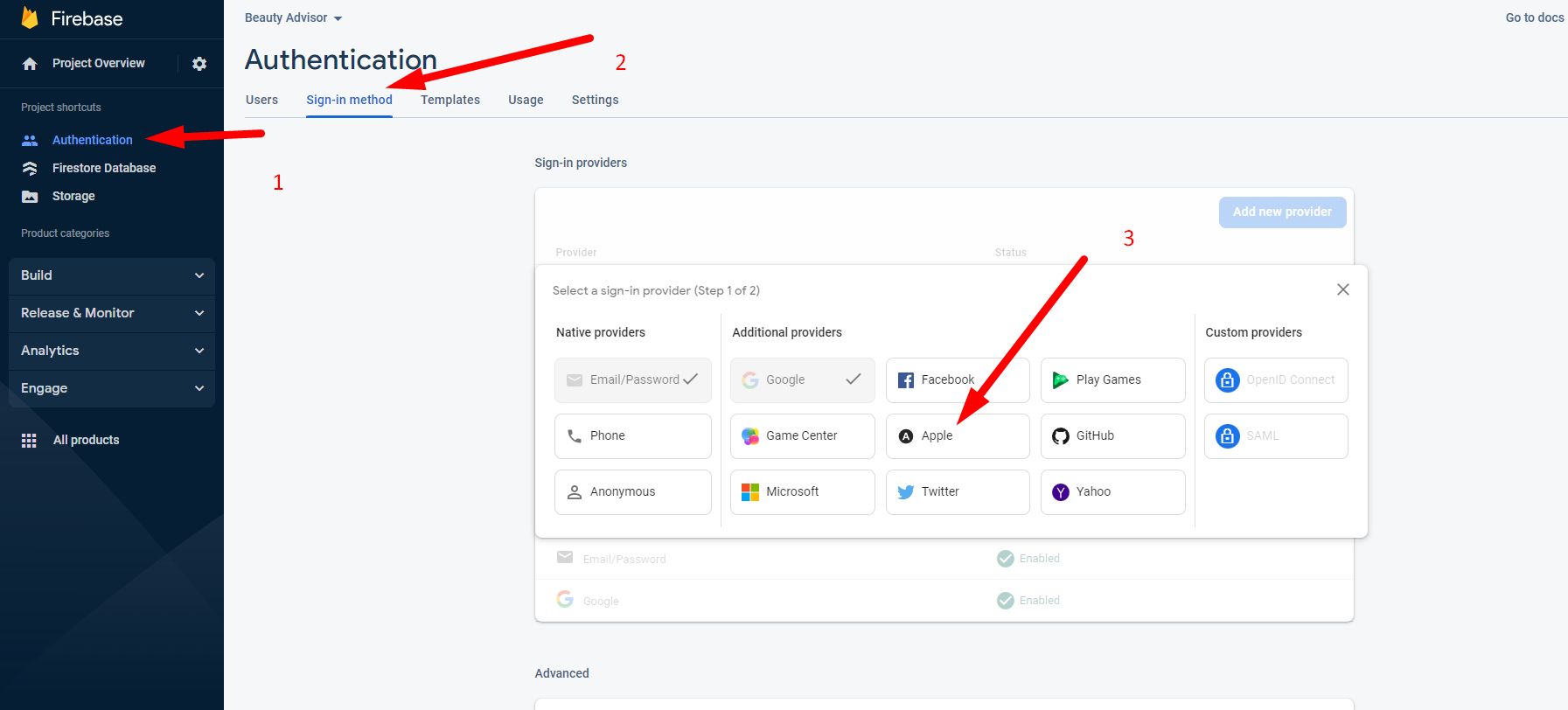
- Open Firebase -> Authentication -> Add new Provider ->
Enable Apple Sign in- > Save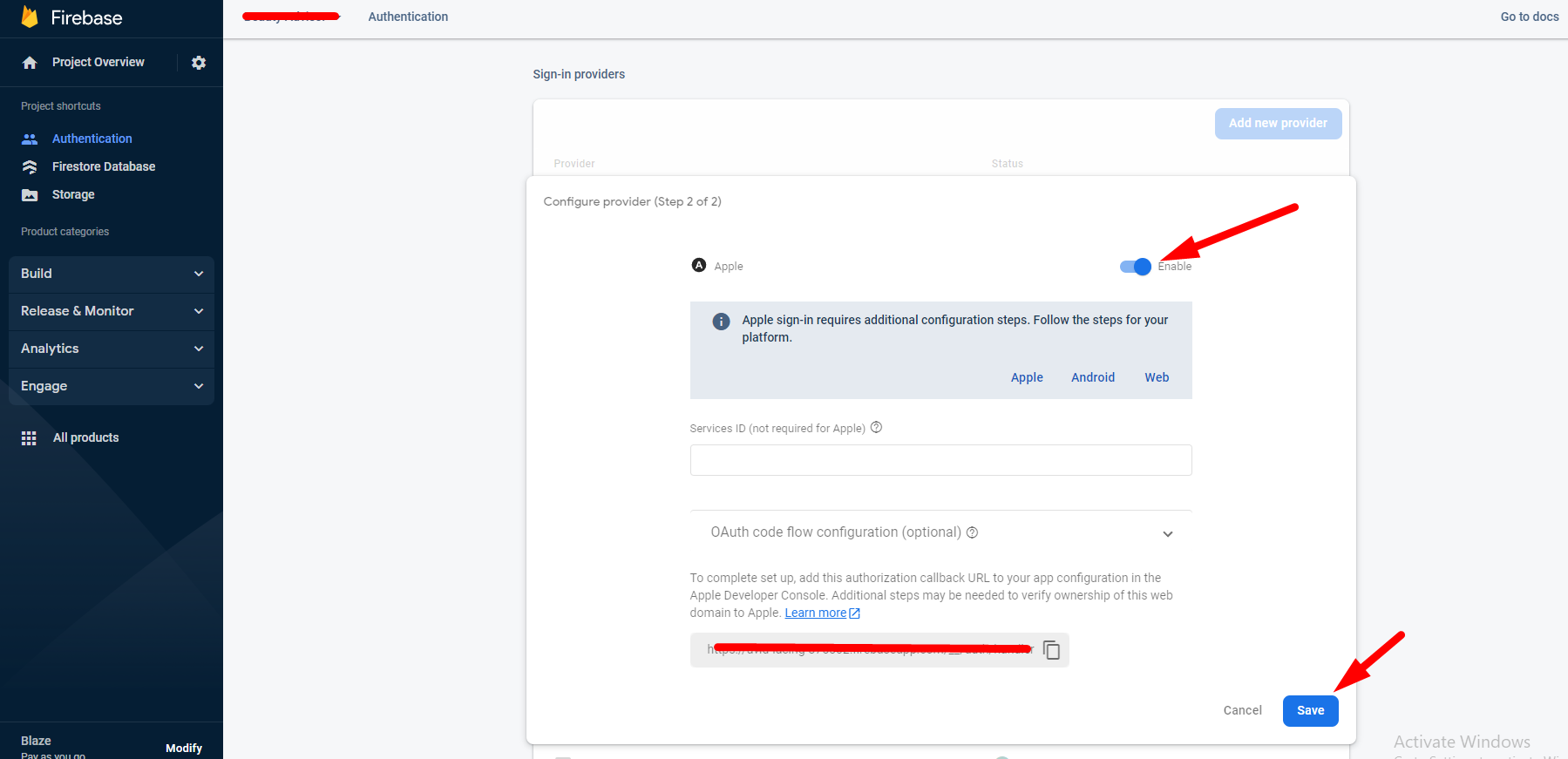
Done, now you the app should be able to register with apple account
info
with apple's new rules for uploading to AppStore Apple Required you to enable Apple Sign in if you enable Google Sign in, except if it not implementing Google Sign is, it's okey to not Adding Apple Signin like the Teacher App, it's not implementing Google & Apple Sign in